

Time-series Database#
TimescaleDB is a time-series database that is optimized for fast ingest and complex queries. It is built on top of PostgreSQL and extends it with time-series specific features. TimescaleDB is used in the MAPLE backend to store time-series data collected from various sources.
Quick Start#
For the user-interface of TimescaleDB, you can access the pgAdmin dashboard at:
Direct access:
http://localhost:5050
The username and password are stored in your .env file (PGADMIN_DEFAULT_EMAIL and PGADMIN_DEFAULT_PASSWORD).
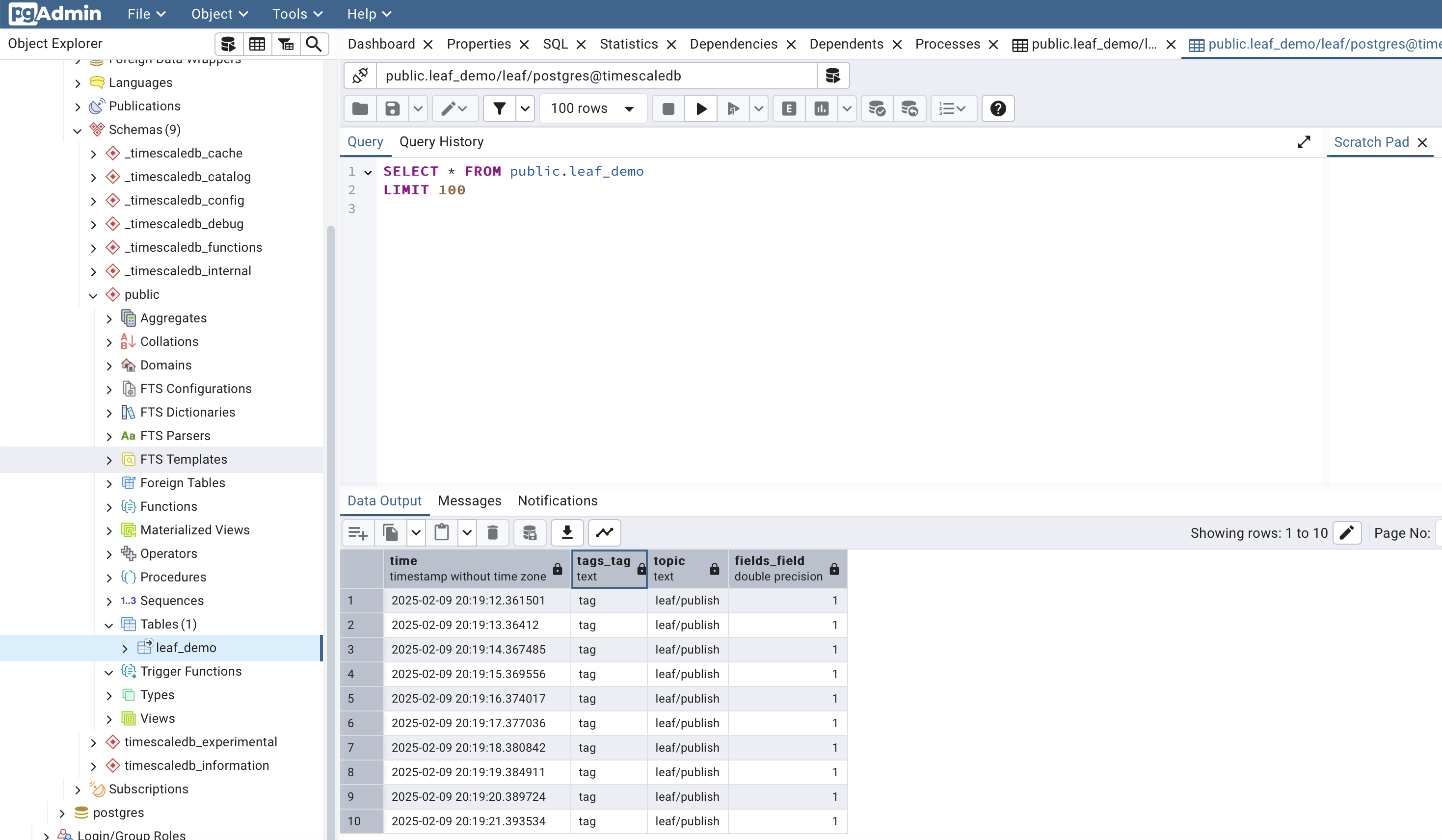
After logging in, you will see the pgAdmin dashboard, which provides an overview of the database, tables, and data.
Not much interaction is needed with the TimescaleDB database itself. The database is used by the backend services to store and retrieve data. The database is set up to store the data streams from the MQTT broker using Node-Red and Telegraf. The data is stored in tables that are created by the backend services.
Table creation#
The tables are mostly created automatically by the Telegraf service when it receives data from the MQTT broker. However, you can also create your own tables to store custom data. Below are some examples of how to create tables in TimescaleDB for different types of data.
Example: Create a table for CPU usage data#
This information is provided using Telegraf, which collects system metrics and sends them to the MQTT broker. The data is then processed by Node-Red and stored in the TimescaleDB database.
-- Create the cpu table
CREATE TABLE cpu (
    time TIMESTAMPTZ NOT NULL,
    host TEXT NOT NULL,
    cpu TEXT NOT NULL,
    usage_idle DOUBLE PRECISION
);

-- Convert to TimescaleDB hypertable
SELECT create_hypertable('cpu', 'time');

-- Create indexes for common query patterns
CREATE INDEX idx_cpu_host_time ON cpu (host, time DESC);
CREATE INDEX idx_cpu_cpu_time ON cpu (cpu, time DESC);

-- Optional: Set up compression policy (compress data older than 7 days)
ALTER TABLE cpu SET (
    timescaledb.compress,
    timescaledb.compress_segmentby = 'host, cpu'
);

SELECT add_compression_policy('cpu', INTERVAL '7 days');
Error when converting to hypertable#
When you already started populating the table with data, you might get an error when converting the table to a hypertable. In that case, you can use the migrate_data option to migrate existing data and allow the current timestamp type.
Note
Migrate existing data and allow the current timestamp type SELECT create_hypertable(‘pioreactor’, ‘time’, migrate_data => true);
Example: Create a table for memory usage data#
-- Create the mem table
CREATE TABLE mem (
    time TIMESTAMPTZ NOT NULL,
    host TEXT NOT NULL,
    used BIGINT,
    used_percent DOUBLE PRECISION
);

-- Convert to TimescaleDB hypertable
SELECT create_hypertable('mem', 'time');

-- Create index for common query patterns
CREATE INDEX idx_mem_host_time ON mem (host, time DESC);

-- Optional: Set up compression policy (compress data older than 7 days)
ALTER TABLE mem SET (
    timescaledb.compress,
    timescaledb.compress_segmentby = 'host'
);

SELECT add_compression_policy('mem', INTERVAL '7 days');
Example: Create a table for GPU usage data#
-- Create the nvidia_smi table
CREATE TABLE nvidia_smi (
    time TIMESTAMPTZ NOT NULL,
    host TEXT NOT NULL,
    index TEXT NOT NULL,
    uuid TEXT NOT NULL,
    name TEXT,
    arch TEXT,
    pstate TEXT,
    compute_mode TEXT,
    memory_used BIGINT,
    memory_reserved BIGINT,
    memory_total BIGINT,
    power_draw DOUBLE PRECISION,
    temperature_gpu INTEGER
);

-- Convert to TimescaleDB hypertable
SELECT create_hypertable('nvidia_smi', 'time');

-- Create indexes for common query patterns
CREATE INDEX idx_nvidia_host_time ON nvidia_smi (host, time DESC);
CREATE INDEX idx_nvidia_uuid_time ON nvidia_smi (uuid, time DESC);
CREATE INDEX idx_nvidia_host_index_time ON nvidia_smi (host, index, time DESC);

-- Optional: Set up compression policy (compress data older than 7 days)
ALTER TABLE nvidia_smi SET (
    timescaledb.compress,
    timescaledb.compress_segmentby = 'host, uuid'
);

SELECT add_compression_policy('nvidia_smi', INTERVAL '7 days');
Example: Create a table for system uptime data#
-- Create the system table
CREATE TABLE system (
    time TIMESTAMPTZ NOT NULL,
    host TEXT NOT NULL,
    uptime BIGINT
);

-- Convert to TimescaleDB hypertable
SELECT create_hypertable('system', 'time');

-- Create index for common query patterns
CREATE INDEX idx_system_host_time ON system (host, time DESC);

-- Optional: Set up compression policy (compress data older than 7 days)
ALTER TABLE system SET (
    timescaledb.compress,
    timescaledb.compress_segmentby = 'host'
);

SELECT add_compression_policy('system', INTERVAL '7 days');